


Dealer Portal: Refreshed, Mobile-Friendly Layout
The dealer portal has been redesigned to work smoothly on phones and tablets, not just desktop. Account pages now adapt cleanly to small screens with a collapsible side panel, and the home dashboard leads with at-a-glance stats — active customers, active devices, and new activity this month. Device Health now surfaces power, communication, zone, and connection trouble counts across your whole customer base with one click to drill into affected devices, and the dashboard automatically flags customer accounts that may have opportunities for upsell so you can proactively follow up.
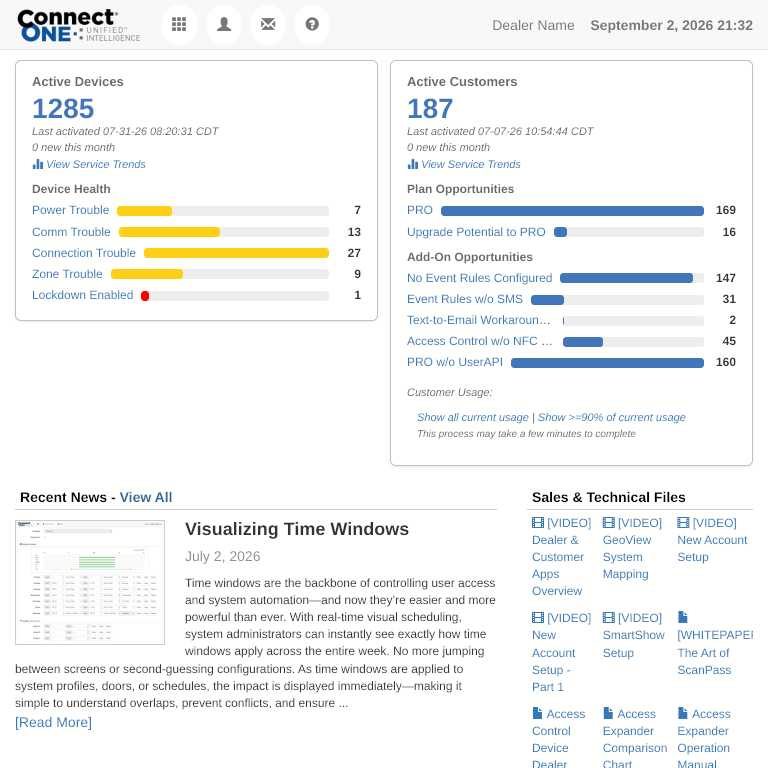
Dealer Home
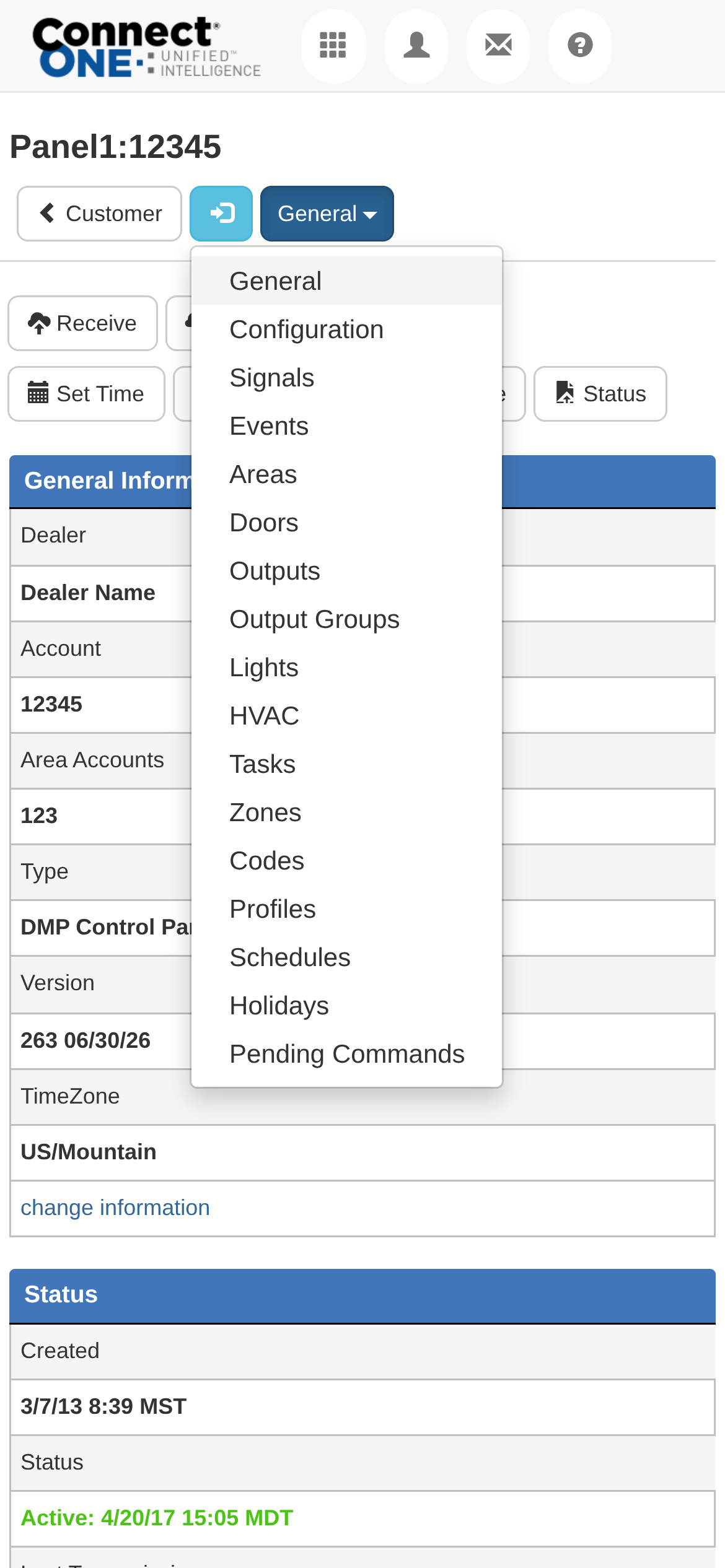
Dealer Mobile
New Interface: Slide-Up Panels
Pop-up dialogs and forms across the dealer and customer portals now open as sliding panels instead of small centered pop-ups, especially on phones. Drag to resize a panel up or down, or swipe it away to dismiss — content and buttons are laid out for a phone-sized screen, and the experience is now consistent everywhere, from reports to device commands to filters.
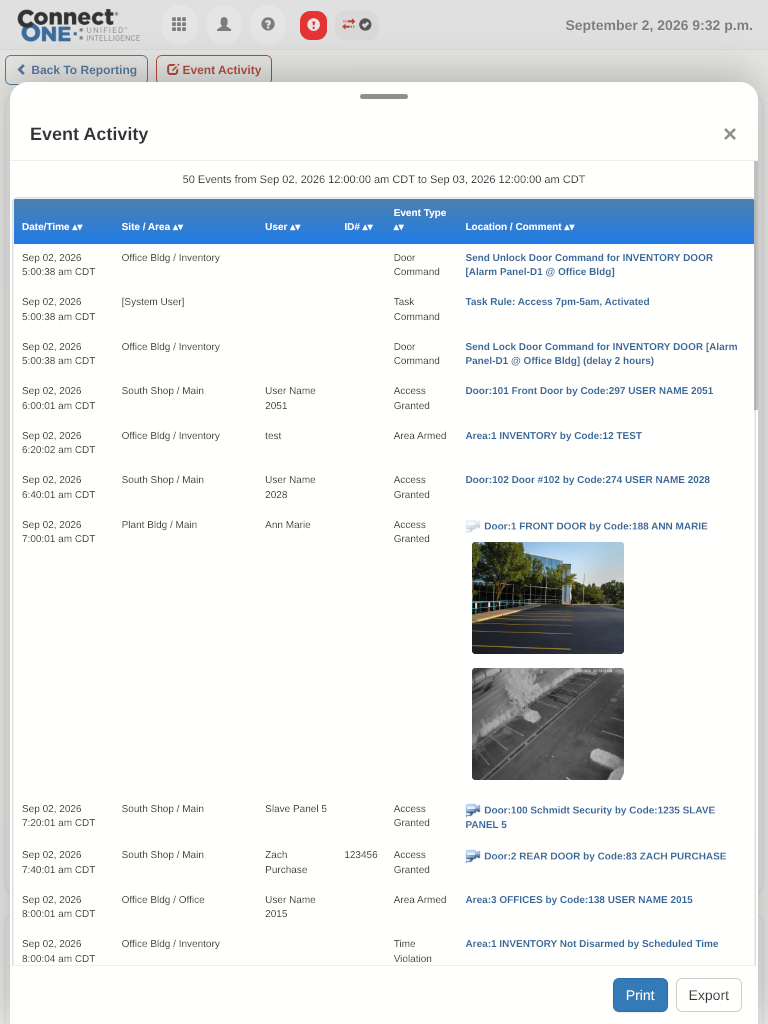
Slide-Up Report
Exceptions at a Glance
The customer portal header now includes a new option to view exceptions at a glance, so alarms, unlocked doors, bypassed zones, and other outstanding conditions are visible immediately — without navigating into the Monitor tab to check.
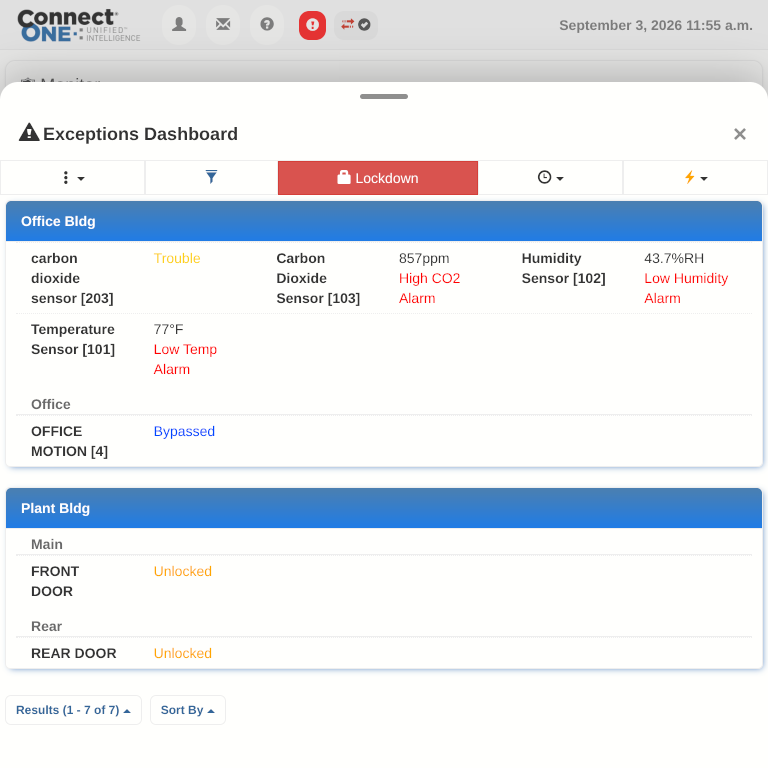
Exceptions Dashboard
Camera Viewing Revamped
Viewing recorded camera footage is now easier and more precise. A new scrubber bar lets you drag the playback slider to jump instantly to any point in a recording, a scrollable activity feed sits right alongside the video and syncs the timeline automatically when you select an event, and camera windows now size and load more consistently for smoother playback.
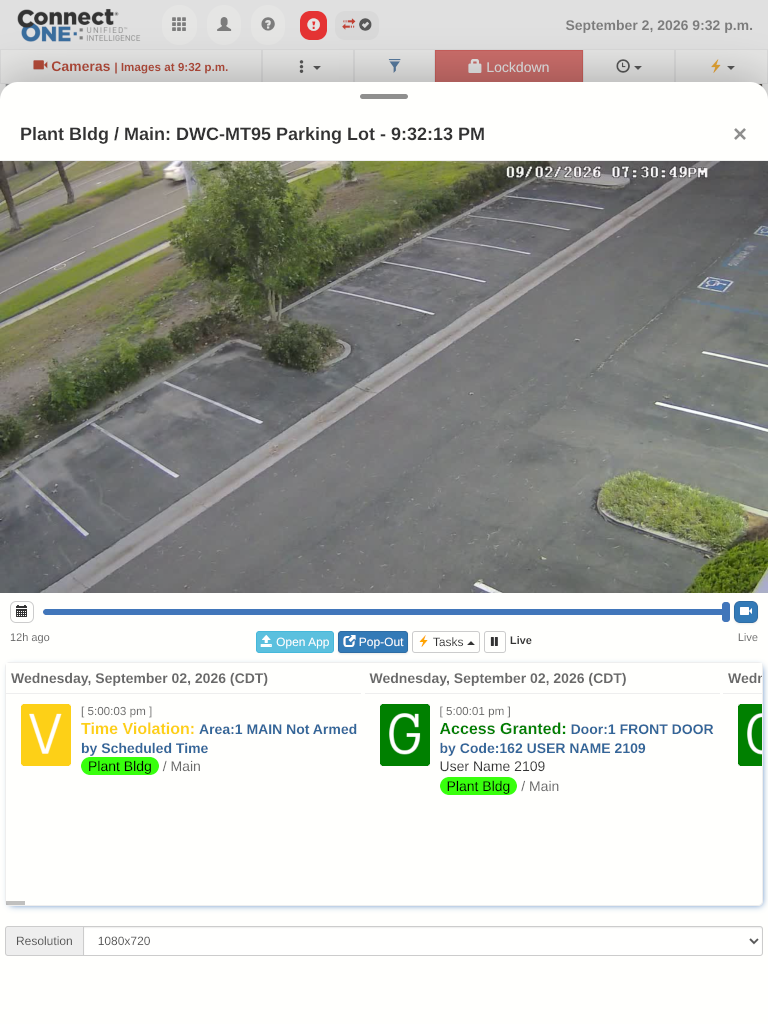
Camera Live
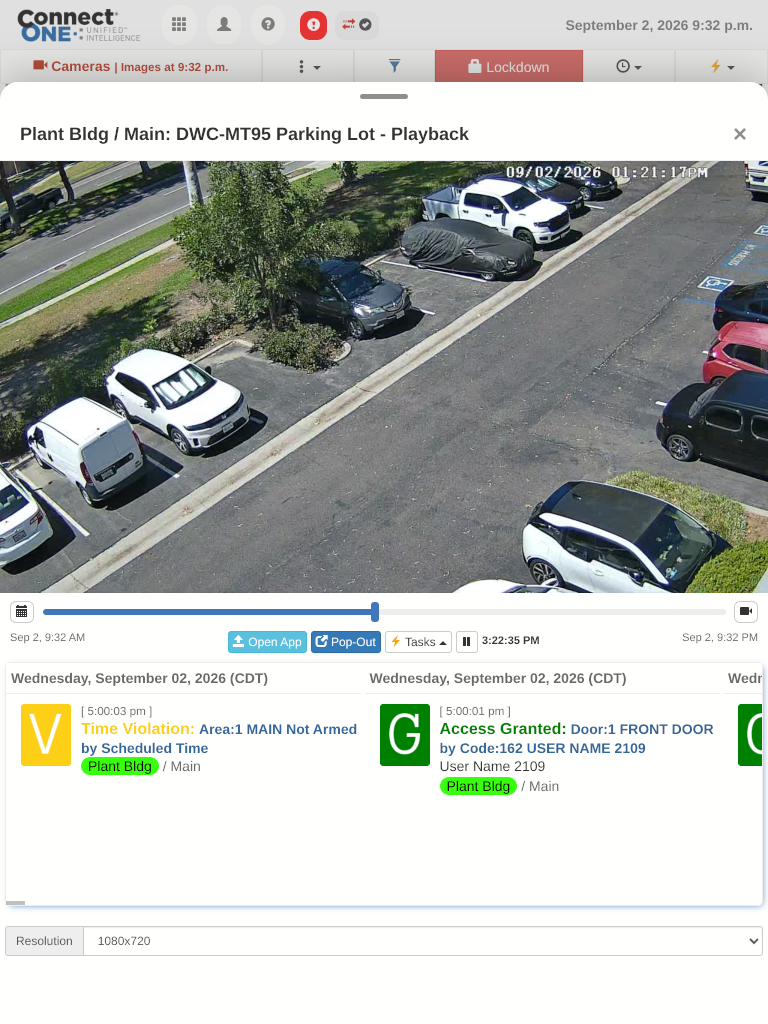
Camera Playback
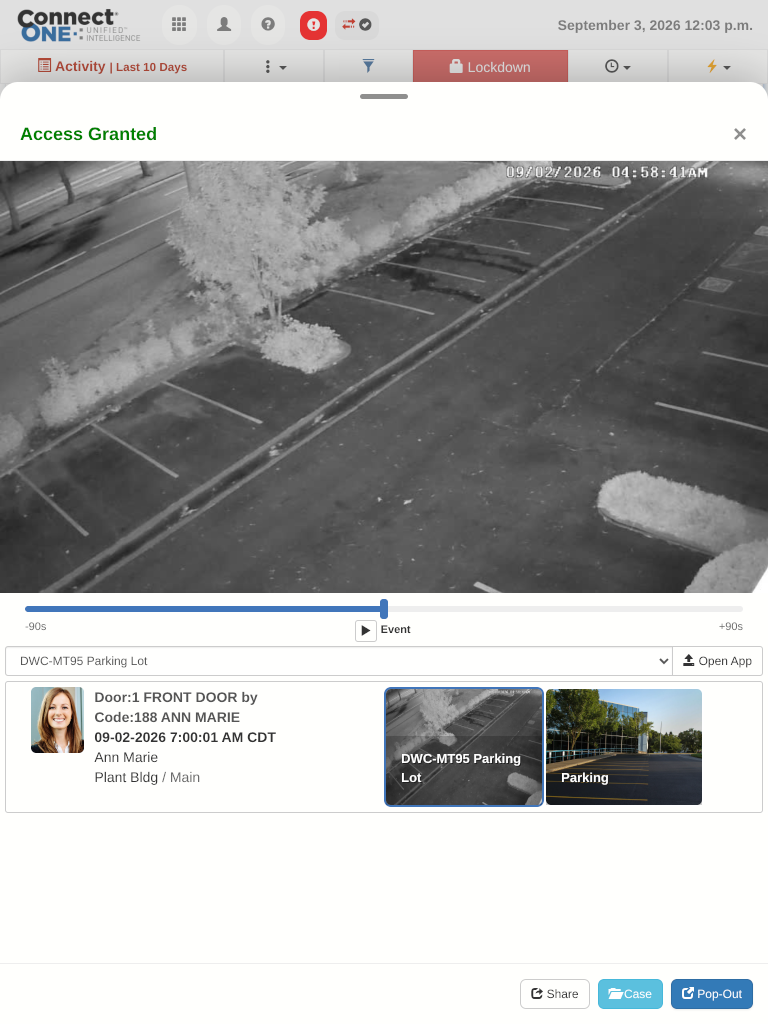
Video Event Playback