Feature Blog
231+ Feature Updates
← Back to All Features
April 10, 2026
New Rule and Profile Options
Customer Management Portal
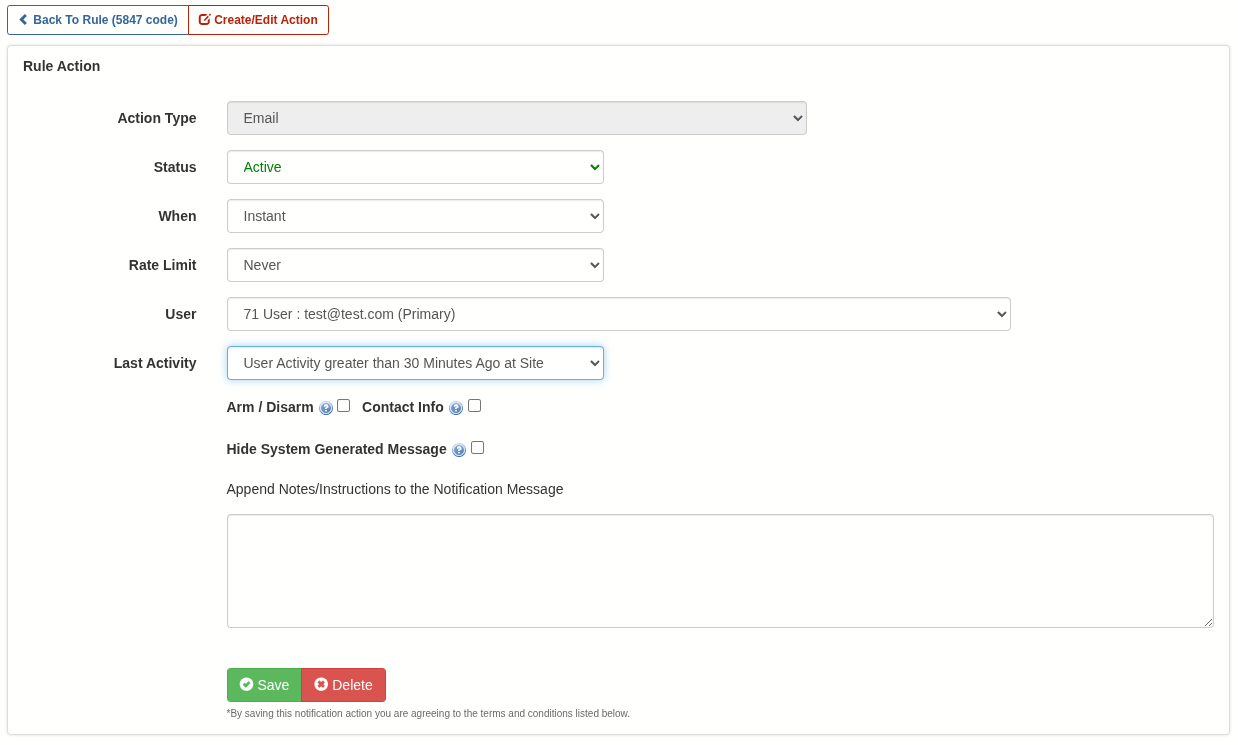
- Event Rule (New Action Option): New options are now available to suppress notifications based on a user’s most recent activity at a site. Previously, notifications could be suppressed unless the user had accessed the site within a specified timeframe. Now, a new option allows notifications to be suppressed if the user has accessed the site within that timeframe. This enhancement was introduced to support scenarios such as ambush notifications, where alerts are intentionally suppressed for personnel already on-site—helping prevent an intruder from becoming aware that authorities have been notified.
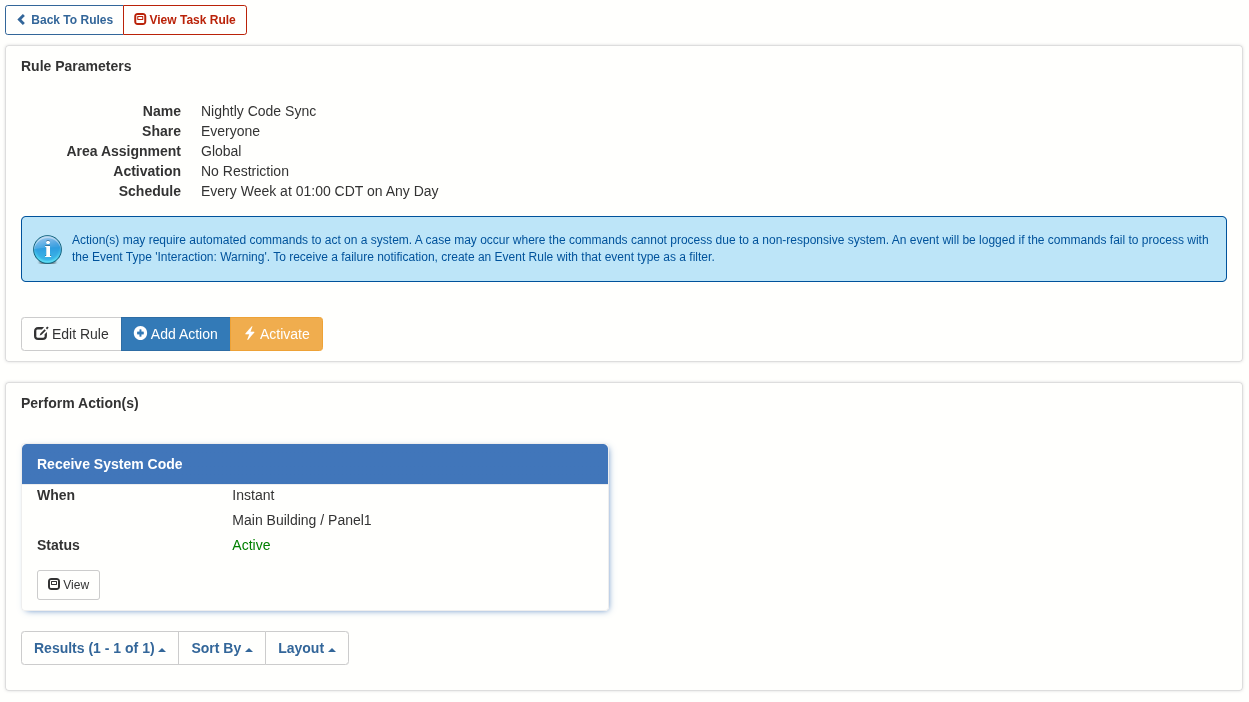
- Task Rule (New Action): You can now configure a Receiving System Code task action. This enables automatic synchronization of system codes when external systems may be modifying them, ensuring any changes are seamlessly synced with Connect ONE.
- User Profile (New Restriction): You can now enable a temporary option that requires a user activation and/or expiration date, up to the maximum allowed activation window. This is an ideal solution for temporary codes, as it ensures an expiration date is always enforced.
Dealer Administrative Portal & System Updates
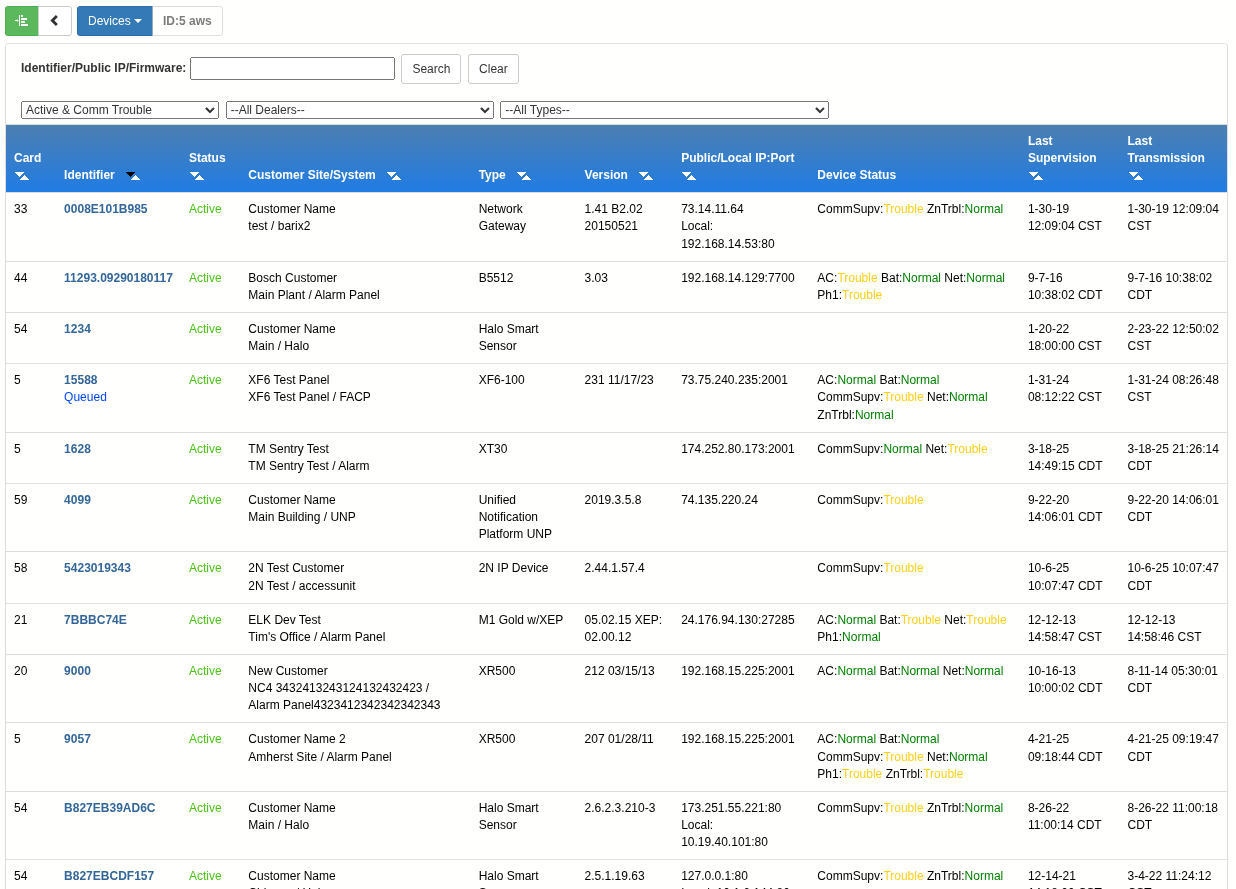
- Device Status: A new unified screen now displays the status of all devices across all customer accounts in one place. Advanced filtering allows you to quickly isolate issues by specific trouble types or manufacturer type.
- Environmental Sensors: Temperature, humidity, and carbon dioxide sensors can now be logged at 15-minute intervals. Previously, the most frequent logging option was every 30 minutes. This enhancement was introduced to meet a requirement from an alcohol distributor, driven by supplier compliance standards.
- TIP: Check the Configuration page for the Device as it includes recommended programming for the particular product and firmware version.